Free · in the browser · nothing leaves the phone
Clap it back
Mika claps two bars. Then it's your turn: clap exactly the same thing back.
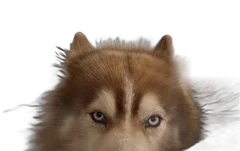
I clap first, with my paws. You clap it back, and I listen closely.Can you clap it back?
Mika and you
In Clap mode the microphone turns on when you tap "Let's go" and off again after your two bars. Nothing is recorded or sent.
How it works
Tap "Let's go". Mika counts "1, 2, 3, 4" and claps two bars. Then "You!" lights up: clap exactly the same thing back. The page hears your claps through the microphone. Without a microphone, or when it's too noisy, switch to "Tap" and tap the big circle. Then you hear Mika's claps and yours together, and Mika tells you how close you were. Get it right and the next rhythm gets a little trickier.
Clapping rhythms in primary school
Echo clapping is one of the oldest exercises in music class: one claps, the others copy. Mika does the clapping first, always at the same tempo, as often as you like. Under the dots the rhythm is written in rhythm syllables: "ta" for a quarter note, "ti-ti" for two eighths, "sh" for a rest. So you can write it on the board or say it with the class before clapping.
Class mode
In class mode every rhythm ends with a "Next child" button: one tap and the next child gets a new rhythm. Set the tempo with Slow, Normal and Fast. There are no names, no points and no list: no child is compared with another. For a whole class at once, switch to "Tap" and let the children clap while one child taps the circle, or all clap along with Mika without any marking.
For teachers and parents
The microphone only listens while it's the child's turn, and only for loud, short sounds like claps. What it hears is read in the browser and forgotten at once: no recording, no account, nothing is sent. There are no points and no comparison with other children; whoever misses simply hears the rhythm again. More about Brumm Kids for families and schools at brumm.ai/kids.